Keep a favorite view.
Save and name a timeframe, then return to the moments you look up most.
INTRODUCING GOAT · FOR iPHONE & iPAD
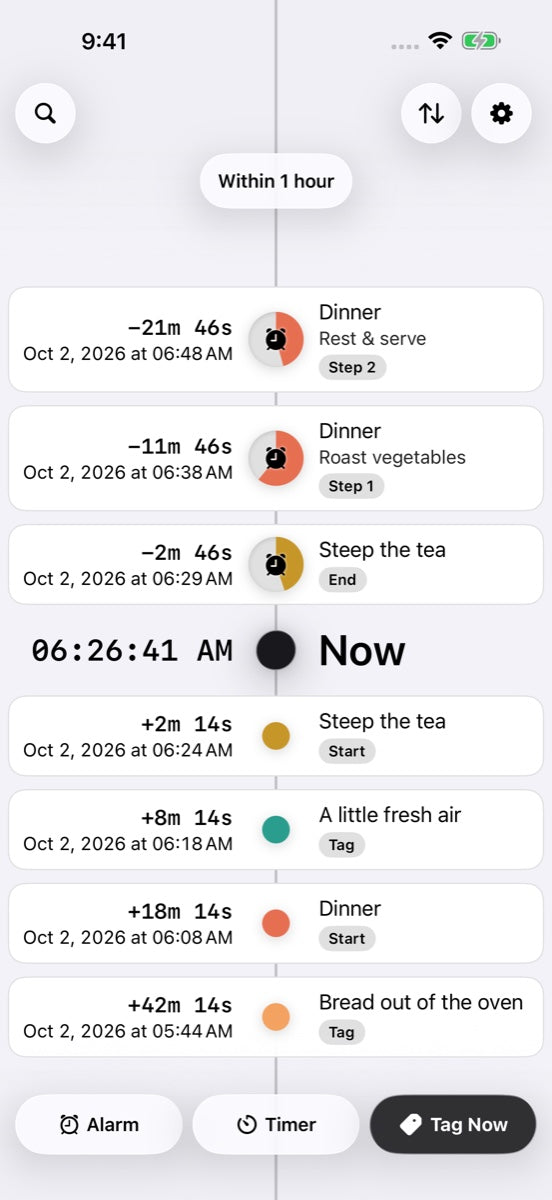
Timers, alarms, and moments. One lasting timeline. GOAT brings the next thing and the little things you want to remember into the same view.
Requires iOS or iPadOS 26.1 or later.
NEW IN GOAT 1.2
Live Activities bring your countdown and progress to the Lock Screen and Dynamic Island. When a timer ends, the clock keeps counting up.
Explore what’s newNow available to our private TestFlight group. Existing testers can open TestFlight to update.


A compact view on a supported paired Apple Watch.
Save and name a timeframe, then return to the moments you look up most.
Choose your date format and when seconds appear. Preview your choices on a sample card.
Scroll the timeline more smoothly and watch cards move gently from future to past.
01 / YOUR TIME, IN CONTEXT
You set a timer. It rings. A few minutes later, you wish you’d started another one—just to know how long it’s been. That’s why we made GOAT. Every timer keeps its start and end on the timeline, with elapsed time that keeps counting. The alarm stops. The history stays.
Set a timer, build a routine with multiple steps, or plan an alarm. Watch the time remaining in a simple colored slice.
Tag a moment as it happens. Add a label and a note, from a walk around the block to bread fresh out of the oven.
A finished timer never disappears just because it ended. Its start, its end, and your notes stay on the timeline until you choose to delete them.
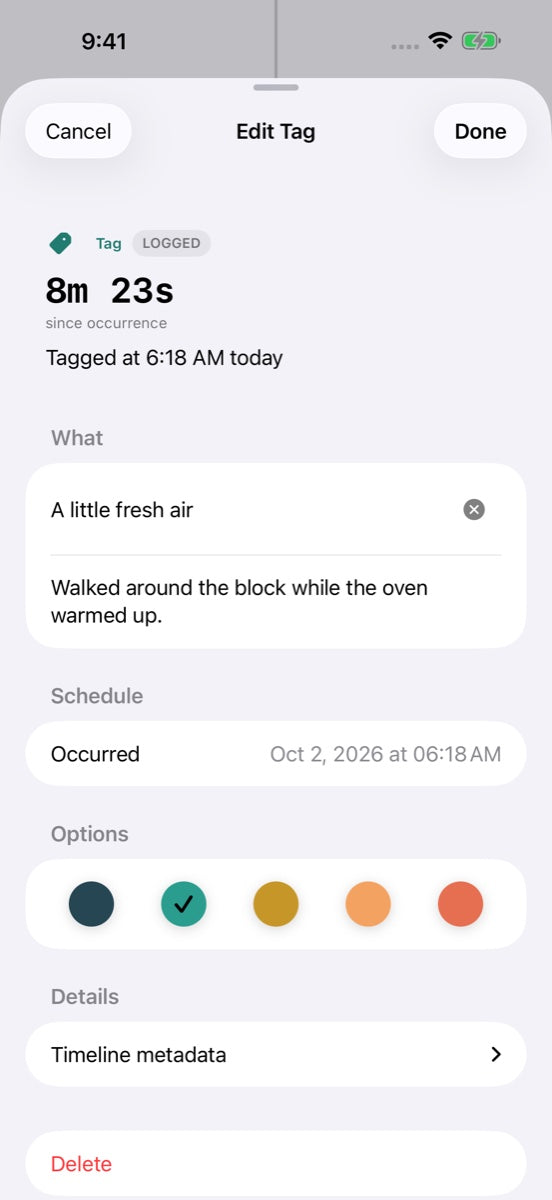
Some moments need an alarm. Others just need a place. Save the details while they’re fresh, then get back to your day.
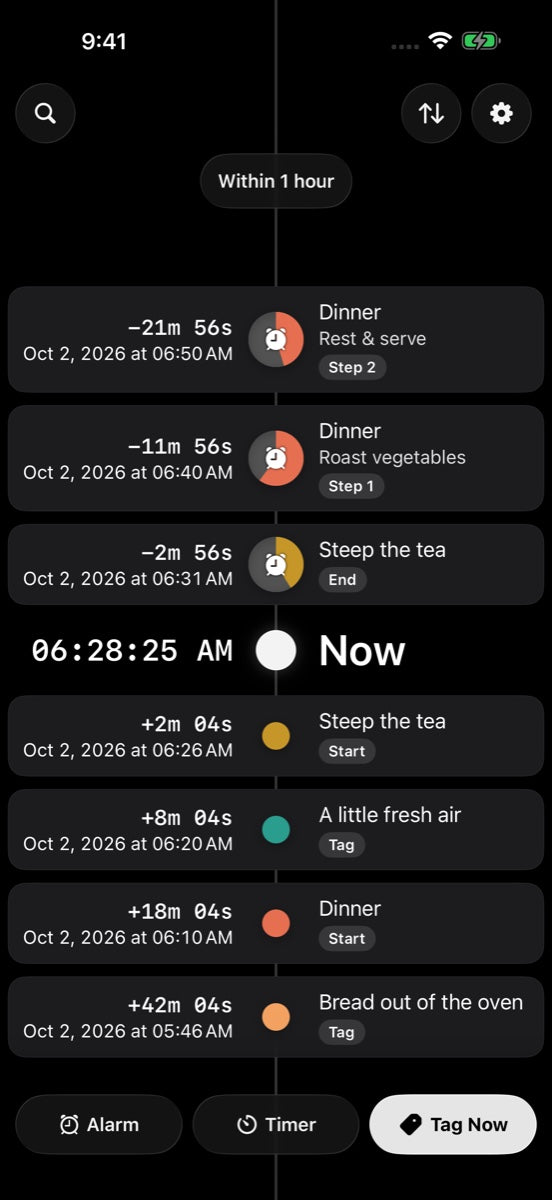
Choose from distinct palettes, each with five colors. Soft circles, readable progress, and a timeline that feels at home in light or dark.

MADE BY FEVER DREAMS
GOAT stands for Greatest of All Timers. If we do say so ourselves. It’s our first chapter: a calmer place for the time ahead and the moments behind. We’re starting small, with a private TestFlight group.