GOAT 1.4 Room to focus. Time to share.
NEW IN GOAT 1.4 · NOW IN TESTFLIGHT
A timeline that adapts as you open iPhone Duo. Timers, alarms, tags, and groups you can pass to another GOAT user.
GOAT 1.4 is now available in TestFlight. New testers welcome. Already testing GOAT? Open TestFlight to update.
01 / ROOM TO KEEP YOUR PLACE
Open up your timeline.
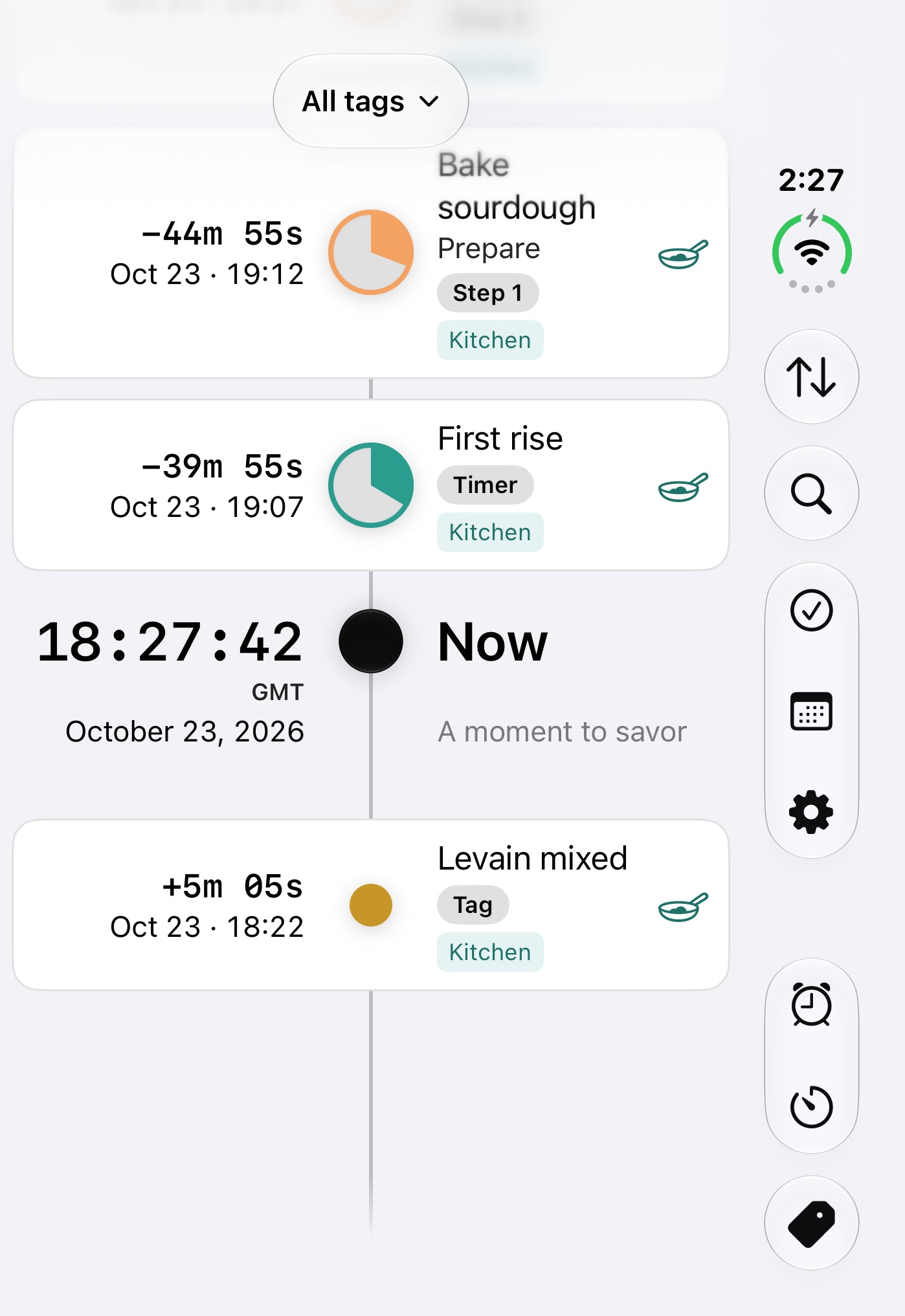
Native controls follow the available space, including Duo’s vertical command bar. In larger layouts, a saved timer, alarm, or tag gets its own editing area beside the timeline. A horizontal fold places the editor above the timeline while you type.
Your draft stays with you as the layout changes. Keep working on the same title, notes, color, and schedule, then choose Cancel or Done when you’re ready.
02 / PASS IT ON
Share a plan. Make it your own.
Send a timer, an alarm, a tag, or an entire group. The other person gets editable copies in their own timeline, with the original colors and group relationships.
- Choose what to send. Use Share… from a card, a selection, or a saved group. Notes are left out unless you select Include notes.
- Preview, then add. Open the .goatshare attachment in GOAT. Keep the timer’s original times to follow the same schedule, or choose Start a new run.
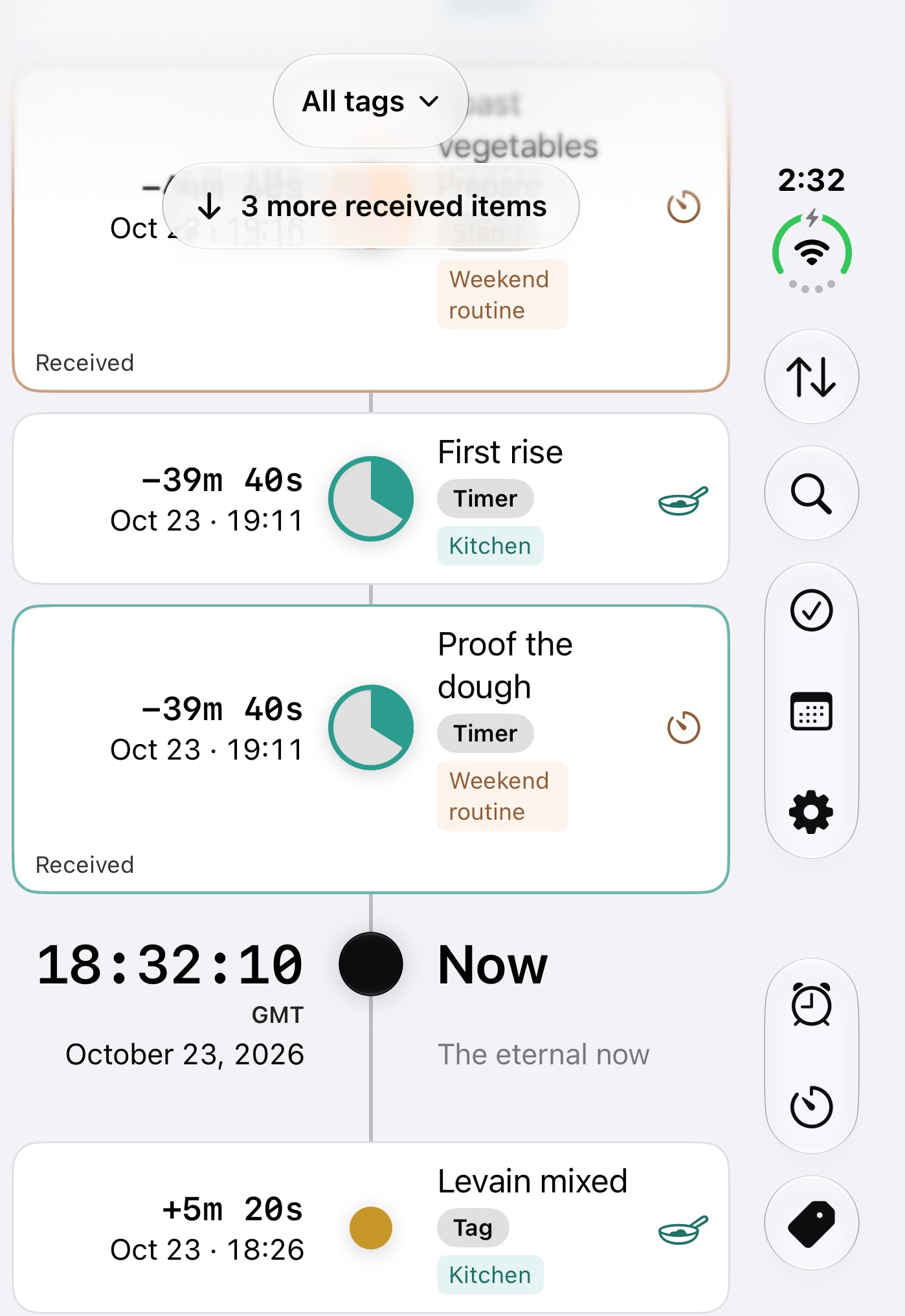
- Go straight to your copies. Choose Show in Timeline after adding. Received labels identify the new cards, and the next-item control helps you find copies spread across the timeline.
Received alerts stay off unless you choose to enable them. Opening the same share again won’t create duplicates.
03 / A QUIETER TIMELINE
The timer. Without the extra start cards.
Timer start and step start cards are hidden by default, leaving the timeline easier to scan. The timer’s history is still there.
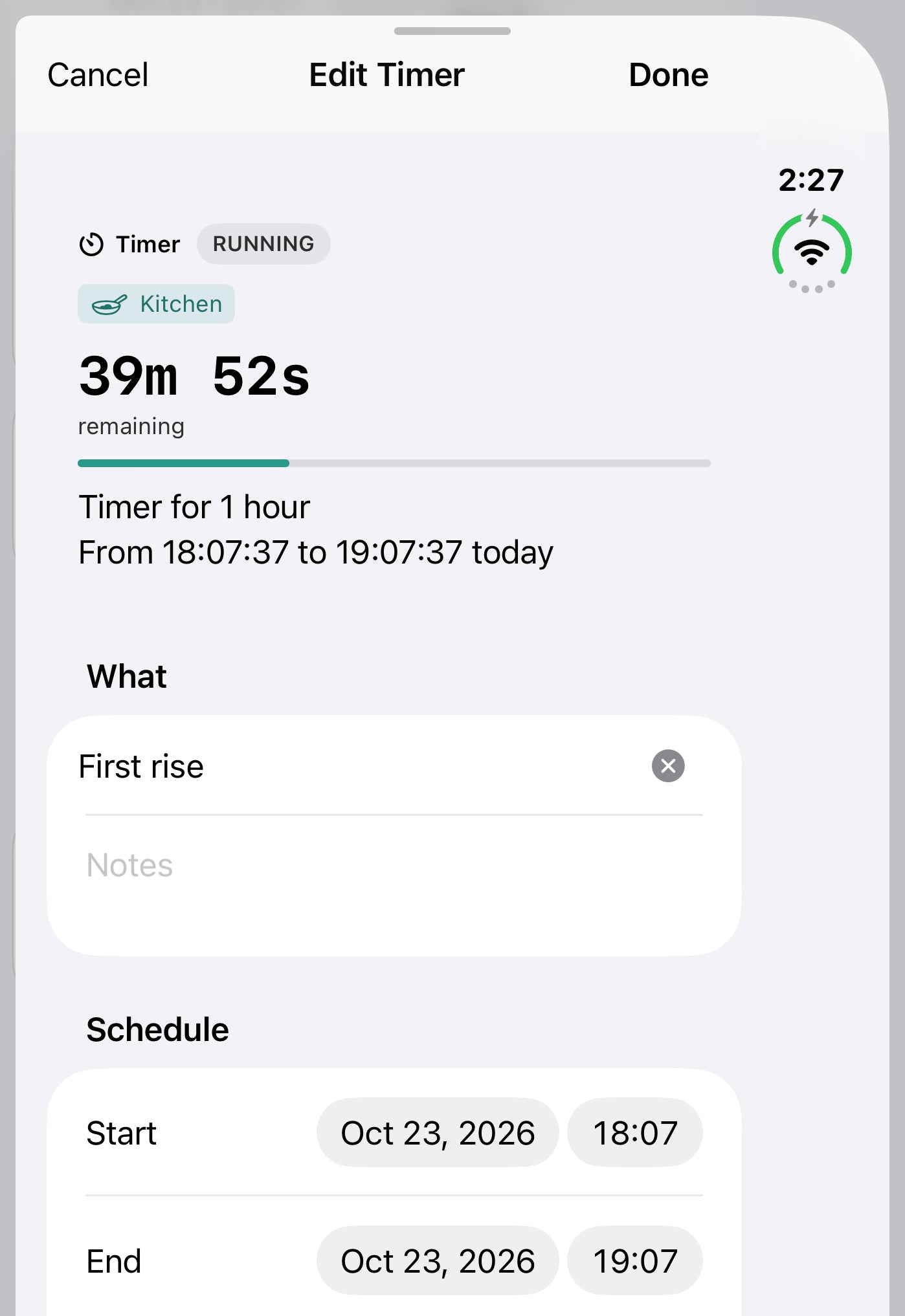
Open Edit Timer to find Timer start and Timer end together in the Timeline details.
Prefer seeing the start cards? Turn on Show timer start cards in Settings.
Small changes you’ll notice.
- A clear Sort by… heading and a simpler sorting menu.
- Delete a simple timer’s start and end together. Undo brings the pair back.
- Shared items keep their source colors without changing your own palette.